

What I find interesting about selling Notion templates is that the product is not really a dashboard. It is the time someone gets back when they no longer have to build a system themselves. A freelancer who keeps forgetting unpaid invoices does not need another pretty planner. They need a reliable way to see what is overdue.
If I were starting from scratch, I would focus on one customer, one problem and one simple template. In this guide, I’ll show you how to sell Notion templates, from researching demand to building, pricing and launching your first product. If you want to learn how to make money selling Notion templates without a large audience, start with the seven steps below. This is a practical roadmap, not a claim that I have earned money from selling templates.
Quick answer: Create an original Notion workspace that solves a specific problem, enable duplication, list it on a suitable marketplace and demonstrate its value to potential buyers. Revenue depends on demand, price, promotion and costs.
Contents: Ideas and validation · Build your template · Selling platforms · Pricing and calculator · Marketing · 14-day plan · FAQs
What are Notion templates and why do people buy them?
A Notion template is a reusable page or workspace with prebuilt databases, views, instructions and other elements. Buyers duplicate it into their own workspace. They pay for convenience, clarity and a faster route to a useful outcome. The same original digital product can be sold repeatedly, although maintenance and customer support still take time.
Step 1: Find a Notion template idea worth selling
I would avoid starting with an all-in-one life planner. It is difficult to explain why a stranger should choose it over hundreds of alternatives. Instead, pick a narrow problem: overdue invoices for freelancers, deadlines for nursing students, or a content approval queue for small agencies.
Research the Notion Marketplace, Etsy and Gumroad. Record five competing products, their target buyers, advertised features, prices and recurring complaints where reviews exist. Do not treat listing counts as proof of sales. Speak to three potential users if possible and ask how they solve the problem today. A useful signal is a repeated inconvenience that costs time or money.
Validation worksheet: My buyer is ___; their recurring problem is ___; their current workaround is ___; my template improves it by ___; evidence of demand is ___. If you cannot fill these in, keep researching.
Step 2: How to create Notion templates to sell
Let’s use a freelancer invoice tracker as a worked example. In Notion, create a new page, insert a table database and add Client (text), Invoice (title), Amount (number), Due date (date) and Status (select: Draft, Sent, Paid). Add a filtered view for unpaid invoices and another sorted by due date. Use sample invoices rather than real customer data. Add a short Start Here section with instructions for adding an invoice and changing its status.
Keep the first version small. Ask a tester to add an invoice, find overdue payments and mark a payment as received without your help. If they struggle, improve the instructions or design. Remove private data, verify database relations and links, and check mobile usability. This example is a proposed build, not a screenshot of a tested product.
Step 3: Publish and prepare delivery
Create a clean master copy. Use Notion’s publishing controls to publish the page as a site and allow duplication where appropriate. Open the link in a separate browser session, duplicate it into another workspace and check that its views and sample data behave as expected. For third-party storefronts, supply a short PDF with the duplication link, setup steps, license and support contact. Public links can be redistributed; do not promise perfect copy protection. Consult Notion’s selling documentation for direct marketplace approval and access locking.
Step 4: Where to sell Notion templates
Notion Marketplace: useful for reaching people already using Notion; direct selling requires eligibility and onboarding. Gumroad: straightforward digital delivery and a good option if you bring your own traffic. Etsy: marketplace search exposure, but listing and payment fees vary. Check payout availability, product policies and taxes in your country before deciding.
Compare current fees directly at Notion, Gumroad and Etsy. Platform fees can change. Start with one storefront instead of maintaining three listings before you have validated demand. For more context, read our guide to selling digital products online.
How to sell Notion templates on Gumroad
Create a digital product in your Gumroad dashboard, choose a price, add your product description and original cover, then attach a delivery PDF containing the public duplication link and setup instructions. Check the buyer-facing preview and test delivery before promoting the listing. Gumroad’s direct and Discover sales have different fee structures; consult its pricing page before setting your price.
How to sell Notion templates on Etsy
Create an original digital-download listing, choose the appropriate category, add clear product images and upload a PDF containing your Notion duplication link. State that the buyer receives a digital product, not a physical item. Etsy charges listing, transaction and applicable payment-processing fees; verify the current fees and eligibility in your country.
How to sell templates on Notion Marketplace
Create a creator profile, review the eligibility and payment onboarding requirements, submit your published template and follow the review process. You can choose a paid listing where direct selling is supported. Check the marketplace instructions for access locking, fees and payout arrangements. If direct payments are unavailable, check whether linking to an external checkout is supported.
Step 5: How much do Notion templates sell for?
For a first pricing test, I would consider $5–$9 for a simple tracker, $10–$19 for a focused planner and $20–$39 for a more substantial professional dashboard. These are suggested experiments, not market averages. At $19, five sales produce $95 gross, 25 produce $475 and 100 produce $1,900. None is a forecast.
Use the calculator below with the current percentage and fixed fee from your chosen platform. It estimates proceeds before tax, refunds, marketing, currency conversion and other expenses.
Notion template earnings calculator
Gross:
Fees:
Estimated proceeds:
If the interactive calculator is unavailable, multiply price by monthly sales, then subtract sales × (price × percentage fee ÷ 100 + fixed fee). The default example above is illustrative; confirm actual fees.
Step 6: Create a product listing that explains the outcome
Write a specific title such as Freelancer Invoice Tracker for Notion. Start with the problem: see outstanding invoices without juggling spreadsheets. List exactly what buyers get, show original screenshots of the actual product, explain required Notion features, include duplication instructions and state the support and refund terms. Avoid fake reviews and income claims. A small demo video can show the workflow in under a minute.
Step 7: Market your template without a large audience
I would choose one channel for the first month. For Pinterest, make three original pins aimed at the same problem: overdue invoices, freelance admin and monthly income tracking. Link each to a helpful article or product page. For YouTube, record a short walkthrough of the actual template. In communities, answer questions without dropping unsolicited promotional links. Read our Pinterest monetization guide for more ideas.
Track visits, listing clicks and sales separately. If no one visits, distribution is the bottleneck. If people visit but do not buy, examine the offer, clarity, trust and price. If buyers need help with basic setup, improve onboarding. Change one meaningful variable at a time.
Seven Notion template ideas to research before selling
Freelancer invoice tracker; creator sponsorship CRM; student assignment planner; job application tracker; small agency project handover; household subscription tracker; digital product launch planner. These are research leads, not guaranteed profitable niches. Pick the one whose audience you understand best.
A realistic 14-day launch plan
Days 1–2: interview potential users and research competing listings. Days 3–4: define the minimum useful product. Days 5–7: build and document it. Day 8: test with another user. Days 9–10: prepare screenshots, delivery and listing. Day 11: publish the listing. Days 12–14: share useful demonstrations, gather feedback and decide what to improve. Launching is the milestone; a sale within 14 days is not guaranteed.
Want a workbook to guide your launch?
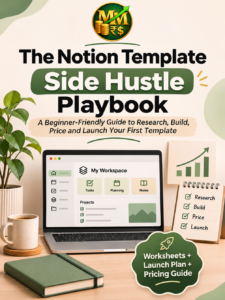
The Notion Template Side Hustle Playbook — our own companion PDF workbook includes niche validation worksheets, product planning, pricing exercises, listing guidance, quality checks and a 14-day launch tracker. It is an optional paid resource from Money Mantra Hub.
Common mistakes and frequently asked questions
Do I need Notion Pro? Many simple templates work on the free plan; avoid paid-only dependencies unless clearly disclosed.
Is this passive income? Not entirely. Research, marketing, updates and support require work.
Can I sell without an audience? Yes, but discovery requires effort through marketplace search, content or other channels.
Is the market saturated? Broad categories are competitive. Validate a narrow problem rather than assuming every niche is profitable.
Can I sell on multiple platforms? Generally, subject to each platform’s terms; verify rules and use appropriate delivery links.
How soon can I make money? There is no reliable timeline. A first sale is a useful milestone, not a promise.
Can you sell Notion templates you did not create? Only if you have the necessary commercial rights and the sales platform permits the listing. Building original templates is the safer starting point.
Do Notion templates sell well? Some creators report sales, but their results do not establish typical earnings. Validate a particular audience and problem, then track your own conversion rate, fees and support costs.
If you are comparing business models, our digital product business guide covers other downloadable products. For a physical-product alternative with different cost structures, see our Printify vs. Printful comparison.
Ready to Sell Your First Notion Template?
If I were beginning today, I would rather launch one useful invoice tracker than spend months perfecting a dashboard that tries to do everything. Start with a real problem, build the smallest useful solution and listen to feedback.
Your first template is a business experiment, not a retirement plan. For other low-cost ideas, see our roadmap to starting online with no money.